 FlowClip
Extract structured data
from any webpage.
Turn products, profiles, tables, listings, and selected webpage content into clean JSON or CSV — directly in your browser.
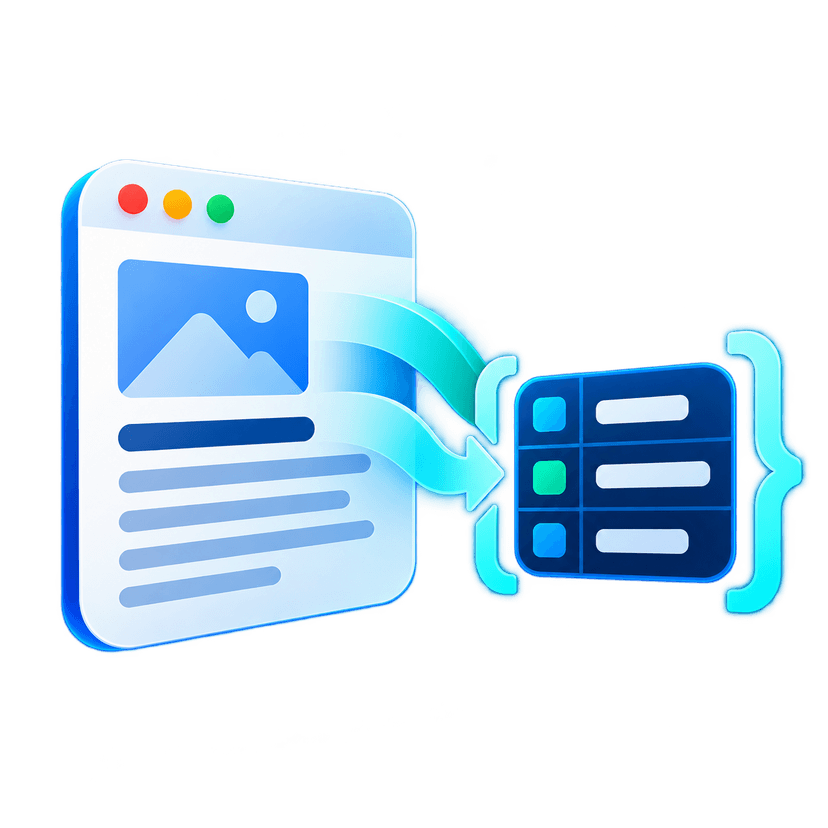
Everything you need to extract data
FlowClip provides powerful tools to pull structured information from websites without writing a single line of code.
Extract Selected Content
Highlight webpage content and quickly turn it into structured data.
Table Extraction
Convert HTML tables into clean rows ready for JSON or CSV export.
Repeating Item Detection
Select a product, card, listing, or profile and extract similar items from the page.
Structured Preview
Review extracted information in JSON or table format before exporting.
JSON & CSV Export
Copy structured JSON to your clipboard or save results as JSON or CSV files.
Local-First Privacy
Core extraction and storage happen inside Chrome without a FlowClip backend.
How FlowClip Works
Three simple steps to extract the data you need effortlessly.
Open a webpage
Visit the page containing the public or authorized information you want.
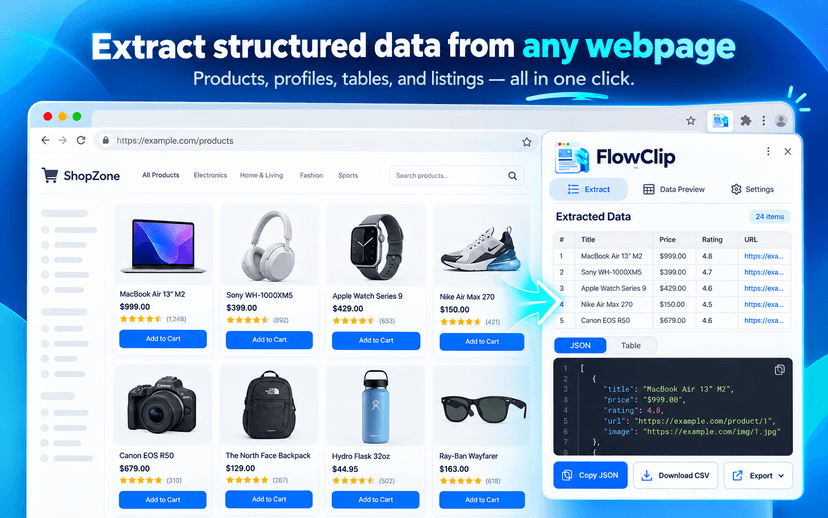
Choose what to extract
Select text, extract a table, or choose a repeated item like a product card.
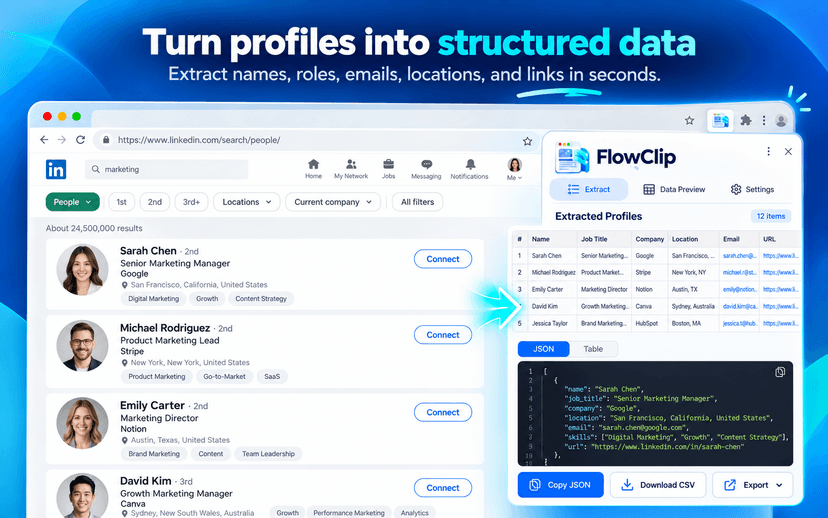
Export structured data
Preview the results and copy JSON or download JSON/CSV locally.
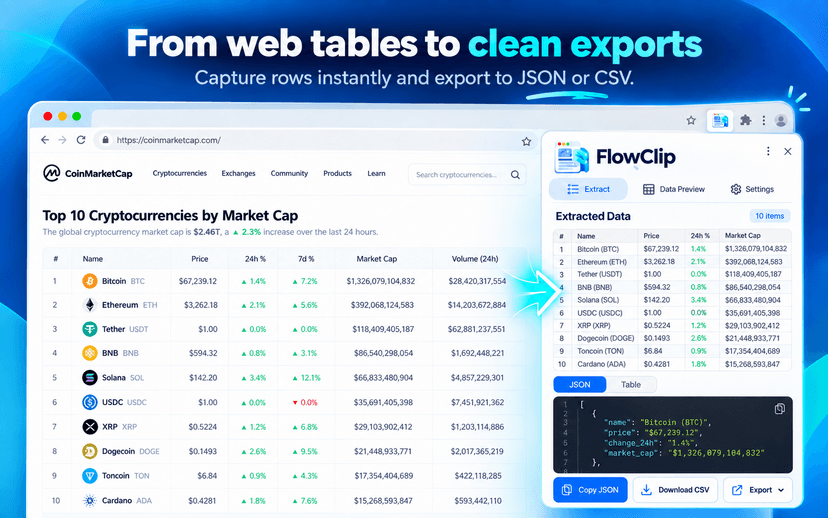
Who is FlowClip for?
Perfect for anyone who needs to quickly turn webpage information into structured formats.
Research
- Sales and lead research
- Recruiting & sourcing
- Ecommerce research
Developers
- Automation builders
- Quick API mock data
- DOM structural analysis
Students
- Data collection
- Market research
- Table extraction
FlowClip should only be used to extract public or authorized webpage information.
Acceptable Use PolicyYour data stays in your browser.
- No FlowClip account or backend. Your data is never uploaded to any FlowClip servers.
- No advertising tracking. We do not sell your data or use it for advertising.
- Local processing only. Extracted data is processed locally and may be stored temporarily in your Chrome local storage.
Frequently Asked Questions
Everything you need to know about FlowClip and how it works.
FlowClip is a Chrome extension that helps you extract structured data—like selected text, HTML tables, products, and listings—from webpages into JSON or CSV directly in your browser.
No. The current version of FlowClip has no backend. All core extraction and storage happen locally inside your Chrome browser.
No account is required. You can start using FlowClip immediately after installing it.
FlowClip can be used on most public websites. However, you must comply with applicable website terms and laws. Users are responsible for ensuring they have permission to extract information from the websites they use.
Yes, FlowClip includes a dedicated table extraction mode that converts HTML tables into clean rows ready for JSON or CSV export.
Yes, by selecting one item (like a product card or profile listing), FlowClip can automatically detect and extract similar items on the same page.
You can copy the extracted data as JSON to your clipboard, or download it as a JSON or CSV file.
The current version of FlowClip does not use AI. It relies on deterministic DOM inspection and user selections.
No. FlowClip does not download or execute any remote JavaScript. All code is packaged within the extension.
No. FlowClip does not intentionally collect passwords, authentication credentials, or any sensitive financial information.
No. FlowClip should not be used to bypass access controls, paywalls, authentication, anti-bot systems, or website restrictions. It only works on content you can already see in your browser.
The most recent extraction result may be stored temporarily in your browser's local storage (chrome.storage.local) so you don't lose it if you close the side panel.
Yes, you can clear it via the extension interface or by clearing your browser's extension data.
The current version of FlowClip is free to use.
You can reach out to our support or security team via the emails listed on our Contact page. We appreciate responsible disclosure.
Turn webpage information into
structured data.
Start extracting data directly in your browser. No account required, 100% local processing.